
Quick Summary: Top Tier Channels
For a beginner, I would prioritize these channels:
- For Absolute Beginners:
Programming with Mosh - For Modern Android (Jetpack Compose):
Philipp Lackner - For Modern iOS (SwiftUI):
Sean Allen - For Cross-Platform (Flutter):
The Net Ninja - For Project-Based Learning:
FreeCodeCamp.org
Native Mobile App Development
1. Android Development (Kotlin & Jetpack Compose)
The modern Android stack uses Kotlin and Jetpack Compose for the UI.
Best Channels for Courses & Playlists:

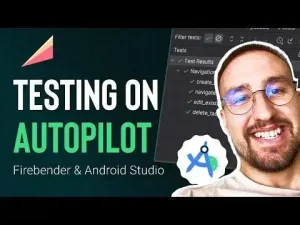
- Philipp Lackner:
- Why he’s great: He is the go-to for modern Android development. His tutorials are incredibly clear, up-to-date, and focus on best practices with Jetpack Compose, MVVM architecture, and modern libraries.
- Key Course: Look for his “Complete Android Development” playlists. He often has full courses building real-world apps like a Spotify clone or a crypto app.
- Stevdza-San:
- Why he’s great: Similar to Philipp, he creates very clean, project-based tutorials focused on Jetpack Compose. He’s excellent at explaining concepts as he builds.
- Key Course: His “Compose UI Course” and various app clones (e.g., a Netflix UI clone) are fantastic for learning.
- Android Developers (Official Channel):
- Why it’s great: The official source. They have curated playlists and “pathways” that are essentially free courses. It’s the most authoritative source for new APIs and guidelines.
- Key Course: Search for “Android Basics in Compose” or “Compose Pathway.”
2. iOS Development (Swift & SwiftUI)
The modern iOS stack uses Swift and SwiftUI for the UI.
Best Channels for Courses & Playlists:
- Sean Allen:
- Why he’s great: One of the most respected iOS teachers on YouTube. He provides a mix of long-form courses, shorter tutorials, and invaluable career advice. His teaching style is engaging and professional.
- Key Course: His “SwiftUI Fundamentals” and “Take Home Project” tutorials are excellent starting points.
- Paul Hudson (Hacking with Swift):
- Why he’s great: Paul is an exceptional teacher and his free “Hacking with Swift” website is a goldmine. His YouTube channel complements this with clear, concise tutorials and 100-day challenges.
- Key Course: Follow along with his “SwiftUI 100 Days” challenges or any of his project tutorials.
Cross-Platform App Development
1. Flutter (Dart)
Flutter, by Google, allows you to build for iOS, Android, Web, and Desktop from a single codebase.
Best Channels for Courses & Playlists:
- Flutter (Official Channel):
- Why it’s great: For the most up-to-date widgets and features, the official channel is essential. They have “Flutter Widget of the Week” and deeper technical talks.
- Key Course: Look for their “Flutter Beginners Playlist.”
- Mitch Koko (formerly Flutterly):
- Why he’s great: Focuses on clean code, architecture (like MVVM), and building complex, production-ready UIs. Great for moving beyond the basics.
- Key Course: His app clone tutorials (e.g., a TikTok UI clone) are very popular and educational.
2. React Native (JavaScript/TypeScript)
React Native, by Facebook (Meta), lets you build mobile apps using React and JavaScript.
Best Channels for Courses & Playlists:
- Programming with Mosh:
- Why he’s great: Mosh is a world-class teacher. His “React Native Tutorial for Beginners” is a masterclass in clarity and structure. He explains the “why” behind everything.
- Key Course: “React Native Tutorial for Beginners – [2024]” is the perfect starting point.
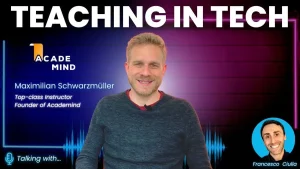
- Academind (by Maximilian Schwarzmüller):
- Why he’s great: Max is known for his incredibly in-depth and detailed courses. If you want to understand React Native inside and out, this is the place.
- Key Course: Look for his “React Native – The Practical Guide” or any of his full app builds.
General & Foundational Channels
These channels offer broader courses that often cover app development.
- FreeCodeCamp.org:
- Why it’s great: They publish full university-style courses on their YouTube channel. You can find 6+ hour courses on Flutter, React Native, Android, and iOS for free.
- Example: Search “Flutter Course for Beginners” or “React Native Course” on their channel.
- Traversy Media:
- Why he’s great: Brad Traversy is fantastic at creating project-based crash courses. You’ll build a functional app in one or two videos, which is great for motivation and seeing the big picture.
- Example: Search “React Native Crash Course” or “Flutter App Build.”
How to Choose & Your Learning Path
- Choose Your Platform: Do you want to build for a specific ecosystem (Android/iOS) or do you need to be cross-platform from the start?
- Start with a Beginner Course: Pick one of the “Key Courses” mentioned above. Do not jump between multiple beginner courses. Stick with one to build a foundation.
- Code Along: Never just watch. Type out every line of code yourself. This builds muscle memory.
- Build Your Own Project: After finishing a course, immediately try to build a very simple app of your own idea. This is where real learning happens.
- Explore Advanced Topics: Once you’re comfortable, look into more specific videos on the same channels about topics like:
- State Management (e.g., Bloc in Flutter, ViewModel in Android)
- Backend Integration (REST APIs, Firebase)
- App Publishing (Google Play Store, Apple App Store)
By following this guide and the recommended channels, you’ll have all the free resources you need to go from zero to a published app developer. Happy coding